Consulting Retrospective Prompts for Stronger Project Lessons
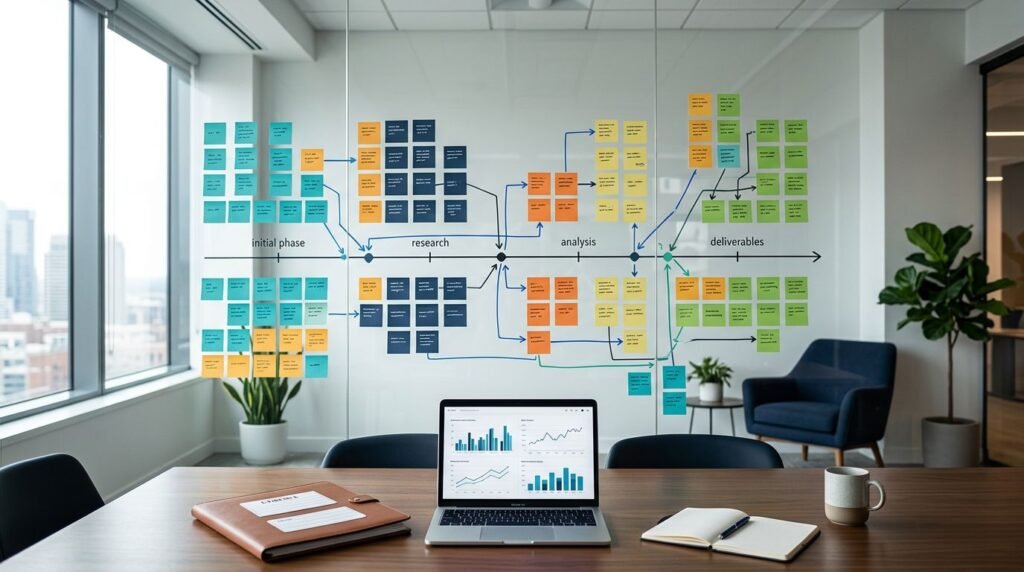
Projects rarely miss their mark because teams held too few meetings. They miss it when delivery signals, client friction, and flawed assumptions fail to shape the next decision.
Well-designed prompts give project teams a disciplined way to examine those signals without turning the review into a blame session. They suit transformation programs, implementation work, strategy engagements, and agile delivery.
AI can organize evidence and prepare neutral questions before the meeting. It can’t validate an account of what happened or decide what the team should do next.
Start with a defined purpose, a safe process, and a defensible record that explains how each lesson was reached when a client asks.
Key Takeaways
- Use consulting retrospective prompts to examine delivery, client relationships, decision rights, scope, dependencies, and handoffs without turning the discussion into a blame session.
- Build a fact-based, anonymized project record before the meeting, and keep documented evidence separate from interpretations and open questions.
- Use AI to organize timelines, surface themes, and prepare neutral questions, but review every output for bias, omissions, confidentiality risks, and unsupported conclusions.
- Design retrospectives around psychological safety, balanced participation, and questions about systems and conditions rather than individual fault.
- Turn confirmed lessons into one or two measurable action items with an owner, first step, due date, success measure, and follow-up date.
What a consulting project retrospective needs to uncover
A consulting project retrospective has a wider field of view than a standard sprint review. It examines the work, the client relationship, decision rights, scope, commercial constraints, and handoffs across functions.
That broader view makes regular retrospectives useful. They expose repeated delivery risks, surface pressure points affecting team wellbeing, and turn feedback into process improvements before the same issue reaches the next workstream.
Bring a short, anonymized project packet into the session. It should include:
- The agreed [objectives], scope boundaries, success measures, and, when relevant, user stories from the product backlog.
- A timeline of milestones, decisions, changes, and approval points.
- Relevant client feedback, delivery metrics, and issue logs from project management systems and collaboration tools.
- Notes on [challenges], dependencies, and actual [outcomes].
Keep facts separate from interpretations. “The client approved the design four days after the planned date” is a fact. “The client didn’t care about the deadline” is an interpretation that requires evidence.
Use AI first to organize material into a fact timeline, gaps, and questions. Then let the people closest to the work explain the context behind the record.

Protect client data before it reaches an AI model
Project records may include confidential commercial terms, personal information, security details, and client strategy. Remove client and employee names, account numbers, file paths, contract values, and proprietary product references before entering material into a model.
Replace identifying details with neutral labels such as [Client A], [workstream lead], [region], and [system]. Generalize dates when the exact sequence isn’t needed. If several details could identify the client, remove more context or leave the material out of the prompt.
Use only a firm-approved AI workspace. For example, OpenAI states that it does not train on business data by default in its Enterprise privacy terms. That setting does not replace your firm’s data policy, client agreement, or engagement lead’s judgment.
AI-generated summaries also need review for bias and omissions. A model may overemphasize repeated comments, flatten disagreement, or present an interpretation as an established fact.
An AI-generated theme is a draft for discussion, not evidence that a team conclusion is correct.
The NIST AI Risk Management Framework offers useful guidance here: document how the team used the tool, who reviewed the output, and what source material supports each final lesson. AI supports discussion and professional judgment, but it doesn’t replace either.
Six consulting retrospective prompts you can use now
The six prompts below work best when you provide only approved, anonymized material. Treat them as adaptable retrospective templates, not scripts, and use their outputs to help a facilitator prepare neutral retrospective questions. Edit the placeholders before use, then review every output against the project record.
Build a fact base before the meeting
Fact timeline prompt
“Using only the anonymized project record below, create a fact-only timeline for [project type] across [timeline]. Include milestones, decisions, dependencies, evidence source, and evidence gaps; for agile delivery, link decisions or milestones to affected user stories. Do not infer causes, motives, or individual performance.”
Use this before the session when notes sit across project plans, email summaries, and issue logs. A strong output contains a clean sequence of events and clearly marks missing evidence instead of filling gaps with assumptions.
Outcome gap prompt
“Compare the agreed [objectives] with documented [outcomes]. Identify fulfilled commitments, partial results, unfulfilled commitments, scope changes, and decisions that changed the expected result. Separate verified facts from open questions.”
Use it when the engagement has reached a phase gate or closeout. A strong output links each outcome to the original objective and flags where a changed scope, not poor delivery, explains the difference.
Surface patterns without making accusations
Stakeholder feedback prompt
“Group anonymized feedback from [stakeholders] into themes. For each theme, label statements as fact, interpretation, or question. Show conflicting views and write up to five neutral questions for the retrospective discussion.”
Use this after gathering feedback and insights from the development team, client sponsor, and adjacent functions. A strong output preserves disagreement rather than forcing one story, while the questions help the facilitator test assumptions in the room.
Root-cause inquiry prompt
“For the challenge ‘[challenges],’ create a root-cause inquiry for a project retrospective. Examine conditions, decisions, dependencies, controls, and communication points. Do not assign fault to individuals. List the evidence needed to confirm or reject each possible cause.”
Use it when a recurring issue, such as late approvals or rework, deserves more than a complaint. A strong output produces testable lines of inquiry about root causes, not a confident diagnosis based on limited notes.
Prepare client-facing lessons and follow-through
Joint learning-session prompt
“Draft neutral questions for a joint lessons-learned discussion with [stakeholders] after [project type]. Focus on expectations, decision timing, working cadence, acceptance criteria, and future collaboration. Avoid blame, conclusions, and confidential internal team commentary.”
Use this only after the internal team agrees what it can raise with the client. A strong output contains open questions that invite useful feedback without surprising the client or reopening settled disputes.
Action plan prompt
“Turn the confirmed lessons below into no more than two action proposals. For each, state the behavior or process change, owner role, first step, due date, required support, success measure, and follow-up date. Reject actions that are vague or outside the team’s control.”
Use this at the end of the retrospective after the group validates its findings. A strong output assigns work to named roles, uses observable measures, and distinguishes a realistic commitment from a vague aspiration.
Run a retrospective where every voice can count
The purpose of an agile retrospective is to improve quality and effectiveness. The Scrum Guide caps a Sprint Retrospective at three hours for a one-month sprint. Under an agile methodology, a scrum master or facilitator can set a two-week sprint retrospective meeting for 60 to 90 minutes. A major consulting phase close usually needs 90 minutes or more when several functions contributed.
Hold the session after each sprint, phase gate, major client decision, or serious delivery pivot. Each recurring retrospective ceremony creates a checkpoint for continuous improvement. A regular rhythm builds reflexivity because the team can test whether its previous action changed the work.
Psychological safety needs a visible meeting design. Give everyone five minutes to write observations silently before anyone speaks. Then use 1-2-4-All: individuals reflect alone, compare in pairs, discuss in groups of four, and finally bring themes to the full group. These facilitation techniques protect team wellbeing, candor, and delivery quality. For remote teams, use collaboration tools for silent input, grouping, and visible theme capture.
For teams moving away from a command-and-control culture, the most senior person should speak last. This gives team collaboration room to develop and lets team dynamics surface. The facilitator should ask about systems and decisions, not personalities. When technical delivery is in scope, ask the development team to review patterns across relevant user stories. Replace “Who caused this delay?” with “What conditions made this delay likely, and where could the process have caught it earlier?”
Keep client-facing feedback separate from the internal retrospective. A joint lessons-learned meeting can improve future collaboration, while the internal session needs room to examine team dynamics, estimation, and delivery choices honestly.
Turn lessons into owned action items
A retrospective without follow-up becomes another meeting people remember as useful but ignore. Limit the action items to the one or two improvements the team can genuinely complete before the next review. Select changes that remain sustainable without harming team wellbeing.
Every action item needs an owner, a first step, a due date, a measure of completion, and a follow-up date. The owner can delegate work, but they remain accountable for reporting progress.
Use this structure when the team converts confirmed lessons into an action plan:
| Confirmed lesson | Action | Owner | Due date | Success measure | Follow-up |
|---|---|---|---|---|---|
| A [stakeholder] decision arrived after [work] began. | Add a 20-minute weekly decision checkpoint and decision log. | [engagement lead] | [date] | Checkpoints held and decisions logged for four weeks. | [date] |
| [Deliverable] rework came from unclear acceptance criteria. | Add criteria to the approval template before production starts. | [workstream lead] | [date] | New deliverables meet criteria without repeat clarification. | [date] |
For agile work, tie acceptance-criteria changes to the affected user stories when applicable. This keeps the update visible where the work is planned.
The table makes each lesson testable. “Improve communication” can’t be measured, while a decision checkpoint can be scheduled, attended, and reviewed.
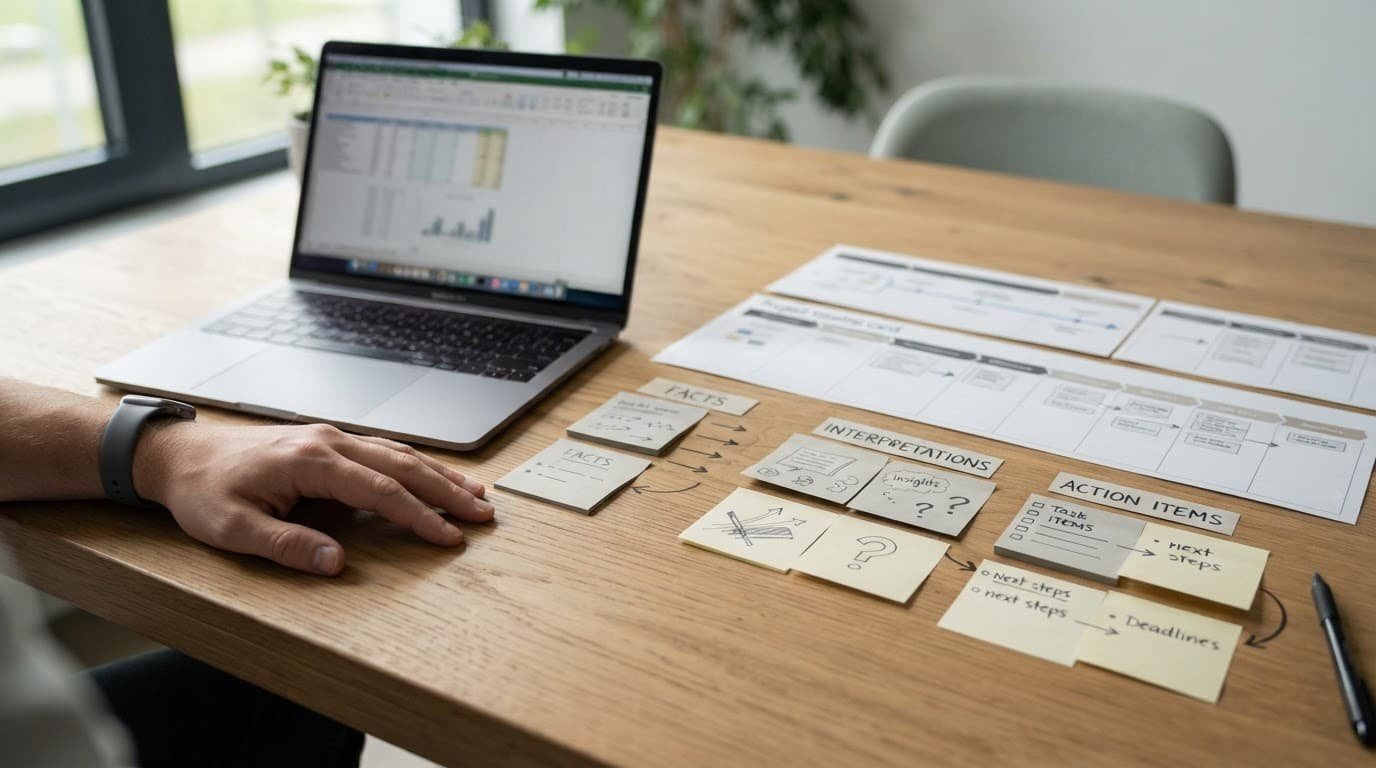
Before circulating the final record, check that every lesson cites source evidence and that sensitive details remain removed. NIST’s generative AI risk guidance also highlights data provenance and anonymization, both of which matter when AI has touched project material.
Frequently Asked Questions
What is a consulting project retrospective?
A consulting project retrospective is a structured review of the work, client relationship, decisions, scope, commercial constraints, and cross-functional handoffs. It helps teams identify evidence-based lessons and improve future engagements.
How can AI support a consulting retrospective?
AI can organize anonymized project records, create fact timelines, group feedback into themes, and prepare neutral questions. Its output is only a draft and must be checked against source evidence by people who understand the project.
What information should be removed before using AI?
Remove names, account numbers, file paths, contract values, personal information, security details, and proprietary product references. Use only a firm-approved AI workspace and follow the firm’s data policy and client agreement.
How do you make a retrospective psychologically safe?
Give participants time to write observations silently, use structured discussion techniques such as 1-2-4-All, and ask about systems, decisions, and conditions rather than personalities. The most senior person should generally speak last so other voices can be heard.
What makes a retrospective action item effective?
An effective action item names an owner, first step, due date, success measure, and follow-up date. Limit the plan to one or two improvements the team can realistically complete and sustain.
Make the Next Project Better
The strongest retrospective creates a shared, evidence-based record of what the team can change. AI can speed preparation and sharpen questions, but people must still test and challenge its output.
Use consulting retrospective prompts to structure the discussion, protect client confidentiality, and turn verified lessons into clear responsibilities with owners and dates. That is how a project review improves the next engagement instead of simply documenting the last one.