Prompt Systems vs One-Off Prompts for Teams
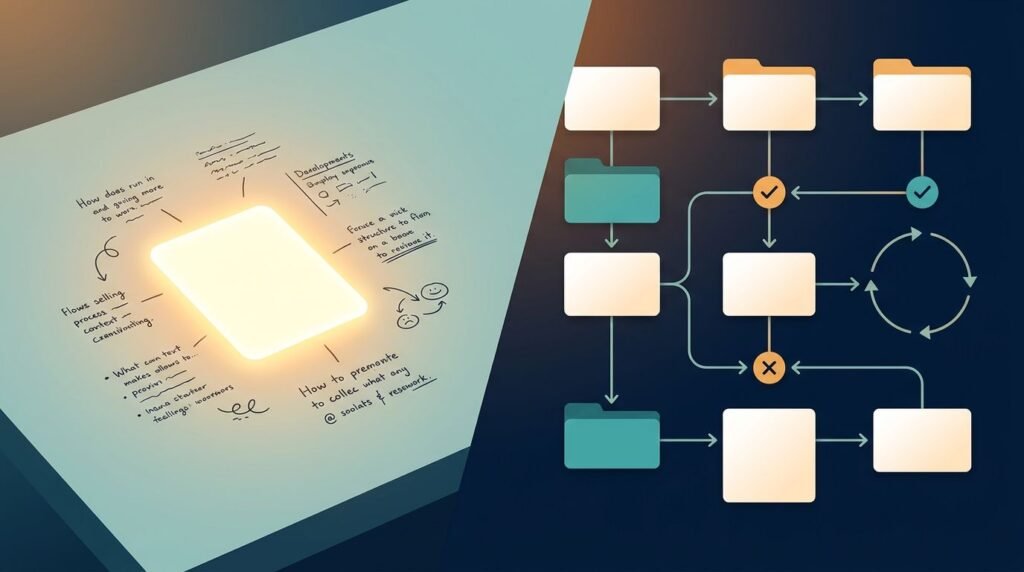
A useful AI prompt can save 20 minutes. A repeatable workflow can save your team hundreds of them. Prompt systems turn good individual AI interactions into work that teammates can use, review, and improve together.
One-off prompts still have a place for quick exploration. However, they become a liability when teams need consistent emails, support replies, research briefs, or operational updates.
The difference comes down to whether the prompt lives only in one person’s chat history or supports a shared business process.
Key Takeaways
- Prompt systems combine instructions, approved context, examples, output formats, and review steps for repeatable work.
- A prompt library is a collection of templates. It becomes a system only when the team defines how, when, and by whom each prompt gets used.
- One-off prompts work well for low-risk exploration, but they create inconsistent quality when teams rely on them for recurring tasks.
- Human review, access controls, and prompt testing matter because generative AI can still produce inaccurate or unsuitable output.
- Start with one recurring workflow where inconsistent drafting or research creates real rework.
What Prompt Systems Mean for Teams
A prompt system is a documented set of instructions and controls that helps a team get a repeatable result from an AI model. It includes more than wording. It defines the task, the inputs allowed, the output structure, examples of acceptable work, review ownership, and a process for updates.
For instance, a sales team may use a system for first-touch outreach. The system could include approved company information, buyer personas, tone rules, a short email structure, banned claims, and a manager review step for new campaign variants.
That is different from an isolated prompt such as: “Write a cold email to this prospect.” The one-off version relies on the individual user’s judgment. The result may be useful, but it can also contain an unverified personalization detail, a vague value claim, or language that doesn’t match the company’s voice.
Prompt systems reduce variation where variation creates cost. They don’t remove judgment. Instead, they set reliable boundaries for work that repeats.
A prompt library sits between these two approaches. It stores reusable templates, often in Notion, Google Docs, or a shared workspace. That is helpful, yet a library alone doesn’t state which template is current, what data can be pasted into it, or who checks the output. Without those rules, a library often becomes a folder of near-duplicates.
The prompt is only one part of a team workflow. The system also defines the approved inputs, the expected output, and the person accountable for the final decision.
Adobe’s guidance on prompting enterprise AI agents also stresses clear instructions, context, governance, and evaluation. Those elements matter even when your team uses a standard chat interface rather than an autonomous agent.
Prompt Systems vs One-Off Prompts: A Practical Comparison
The right choice depends on the frequency, risk, and business value of the work. This comparison shows where each approach fits.
| Factor | One-off prompt | Prompt library | Prompt system |
|---|---|---|---|
| Best for | Brainstorming and personal tasks | Common tasks with light guidance | High-volume or high-stakes recurring work |
| Ownership | Individual user | Shared team or content owner | Named process owner and reviewers |
| Context | Added manually each time | Included in templates when remembered | Controlled inputs and maintained reference material |
| Output quality | Varies by user and model session | More consistent, but uneven use persists | Tested format with clear acceptance criteria |
| Updates | Rarely tracked | Templates may be revised | Versions, test cases, and change records |
| Risk control | Depends on the user | Basic guardrails | Access rules, human checks, and escalation paths |
A marketing manager asking ChatGPT for five headline ideas doesn’t need an elaborate process. The task is low risk and the person can judge the results immediately.
In contrast, an operations team that turns meeting notes into action logs every week needs consistency. Missing an owner or date can cause work to disappear. That recurring task deserves a defined prompt, a required input format, and a quick human check before publishing the final log.
Build Prompt Systems Around Real Workflows
Start with a task that already has a recognizable input and output. Avoid beginning with a broad goal such as “use AI for marketing.” A narrower workflow exposes the decisions that need to be documented.

Consider a consultant who repeatedly turns discovery-call notes into a client proposal outline. A one-off prompt might read:
“Turn these notes into a proposal.”
That instruction leaves too much open. The model doesn’t know the client’s preferred structure, which claims require evidence, how pricing should appear, or which details must remain confidential.
A reusable system can set those boundaries:
- Provide only approved inputs. Include call notes, the approved service menu, pricing guidance, and a short client background. Remove sensitive details that aren’t needed.
- State the role and task. Ask the model to act as a proposal-drafting assistant, not a decision-maker. Require it to identify missing information rather than invent it.
- Lock the output format. Request sections for client goals, recommended scope, milestones, assumptions, exclusions, and open questions.
- Add examples and constraints. Include one approved proposal excerpt. Ban unsupported outcomes, invented case studies, and legal promises.
- Define the review step. A consultant verifies scope, numbers, facts, and tone before the draft reaches a client.
The same pattern works across tools. ChatGPT and Claude can both support structured templates, but model behavior changes over time. Therefore, teams should retest prompt systems after material model updates, policy changes, or revisions to their own source documents.
A small test set helps. Use five to 10 representative inputs, including incomplete notes and ambiguous requests. Compare outputs against a simple rubric: factual accuracy, format compliance, brand fit, and correct handling of missing information. Guidance on prompt engineering best practices highlights the value of clear roles, constraints, examples, and sufficient context.
Where Teams Benefit Most
Marketing teams often start with content production. A system can turn a product brief into a blog outline, email draft, LinkedIn post, and subject-line options. The system should require approved messaging and a source list. It should also flag claims that need a human fact check.
Customer support teams can use prompts to classify tickets, summarize long threads, and suggest replies. However, support prompts need strict boundaries. They should not promise refunds, policy exceptions, delivery dates, or technical fixes unless those details appear in approved references. A support lead should sample outputs and review edge cases.
Sales teams can create account research briefs and personalized outreach drafts. Give the system a fixed research format: company summary, likely priorities, public evidence, relevance statement, and unknowns. Reps should verify every personalization point before sending, especially when the model cites a recent event or executive change.
Operations teams can standardize meeting summaries, status reports, and procedure drafts. Here, output structure matters more than flair. A reliable meeting-summary system can require decisions, owners, due dates, blockers, and unresolved questions. If the source notes omit an owner, the output should say “owner not identified,” not guess.
These use cases share one rule: AI can prepare work, but a person remains responsible for facts, commitments, and decisions. Guidance for product and engineering teams makes a similar distinction between work suited to automation and work that needs human ownership.
Governance Keeps Reusable Prompts Useful
A shared prompt becomes stale when nobody owns it. Assign a named owner for every high-use system. That person approves changes, maintains reference files, and collects feedback from the people doing the work.
Version names can stay simple: “Support reply, v1.3” is enough. Record what changed and why. If a new instruction improves tone but causes missing policy details, the team can identify the source of the problem and restore the prior version.
Access control matters as well. Don’t paste customer records, private contracts, credentials, or unapproved internal documents into a consumer AI account. Use your organization’s approved tools and data-handling rules. Limit shared reference material to people who need it.
Teams also need an escalation path. A support prompt should route safety, legal, billing, or account-security issues to a person. A sales prompt should flag uncertain claims. A research prompt should separate sourced facts from assumptions.
Prompt systems improve through use. Track where reviewers make repeated edits, then update instructions or examples through a weekly prompt review process to address the pattern. If reviewers must rewrite every output, the system hasn’t earned its place yet.
Final Thoughts
One-off prompts help individuals move quickly. Prompt systems help teams produce work that others can trust, repeat, and improve.
Start with one recurring task that creates rework. Define the inputs, output format, limits, and review owner, then test it against real examples. A useful system gives people a stronger first draft without handing business judgment to a model.